Features

Race-day tools for Backyard Ultra runners.

Every feature in BackyardPace exists because the race format demands it. Here's what it does and why it matters.

Live

Scheduled Race Start

Setup

The clock is set once. Everything else follows.

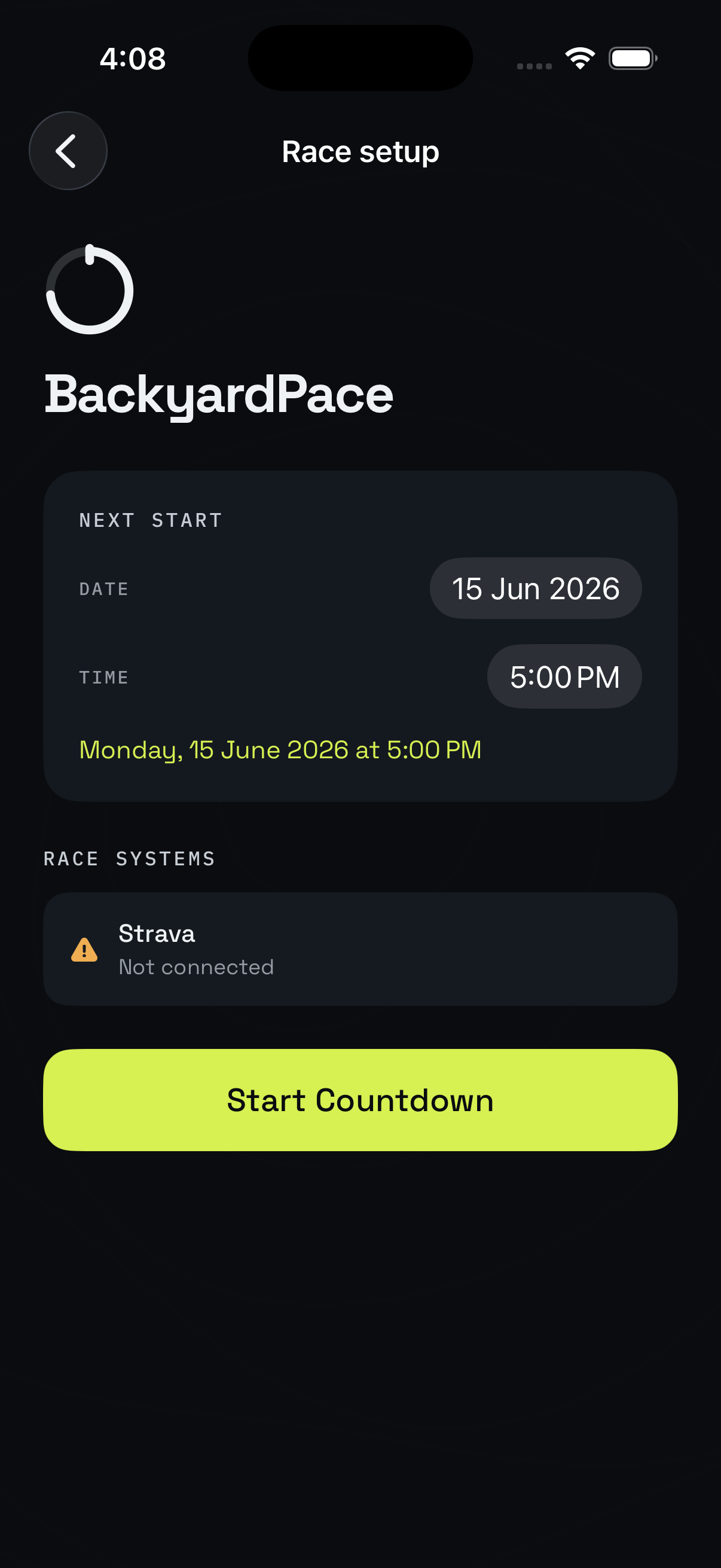
Before the race starts, you enter one thing on the phone: your scheduled start time.

That's the entire setup. BackyardPace derives every countdown, lap start time, and recovery window from that single value. There's no ongoing configuration. No manual lap restarts. No timer you can accidentally pause.

The schedule is sent to your watch. Once that's done, the phone can go in a bag.

Configurable race start time
Schedule synced to your watch before race start
All race timing derived from absolute time, not a running timer
Live

Watch-First Race Engine

Reliability

The watch runs the race. The phone assists.

Most running apps treat the Apple Watch as a companion to a phone. BackyardPace inverts this. The watch is the race engine. The phone is for setup, crew tent dashboard, and post-race review.

This matters because phones get left in tents, run out of battery, and drop connectivity. BackyardPace keeps the race running on the watch regardless of what happens to the phone.

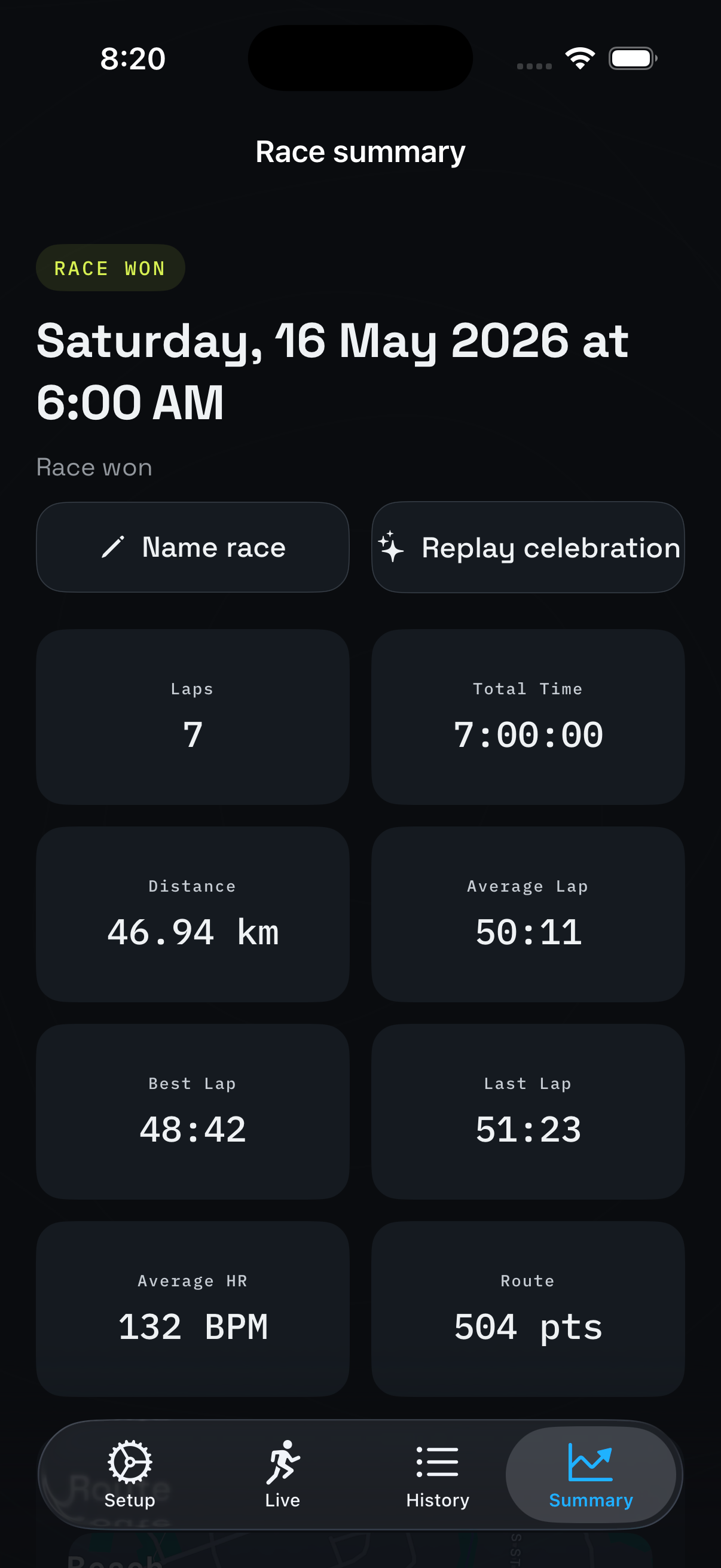
Your crew can use the phone dashboard to track each lap, view lap time trends, and see how much buffer the runner has before the cut-off. Real data, at the tent, when it matters most.

Race continues if the phone loses connection or battery
All timing logic runs independently on the watch
No mid-race dependency on phone presence
Phone crew dashboard shows lap trends and buffer time
Live

Lap Timing

Race execution

Every lap, tracked.

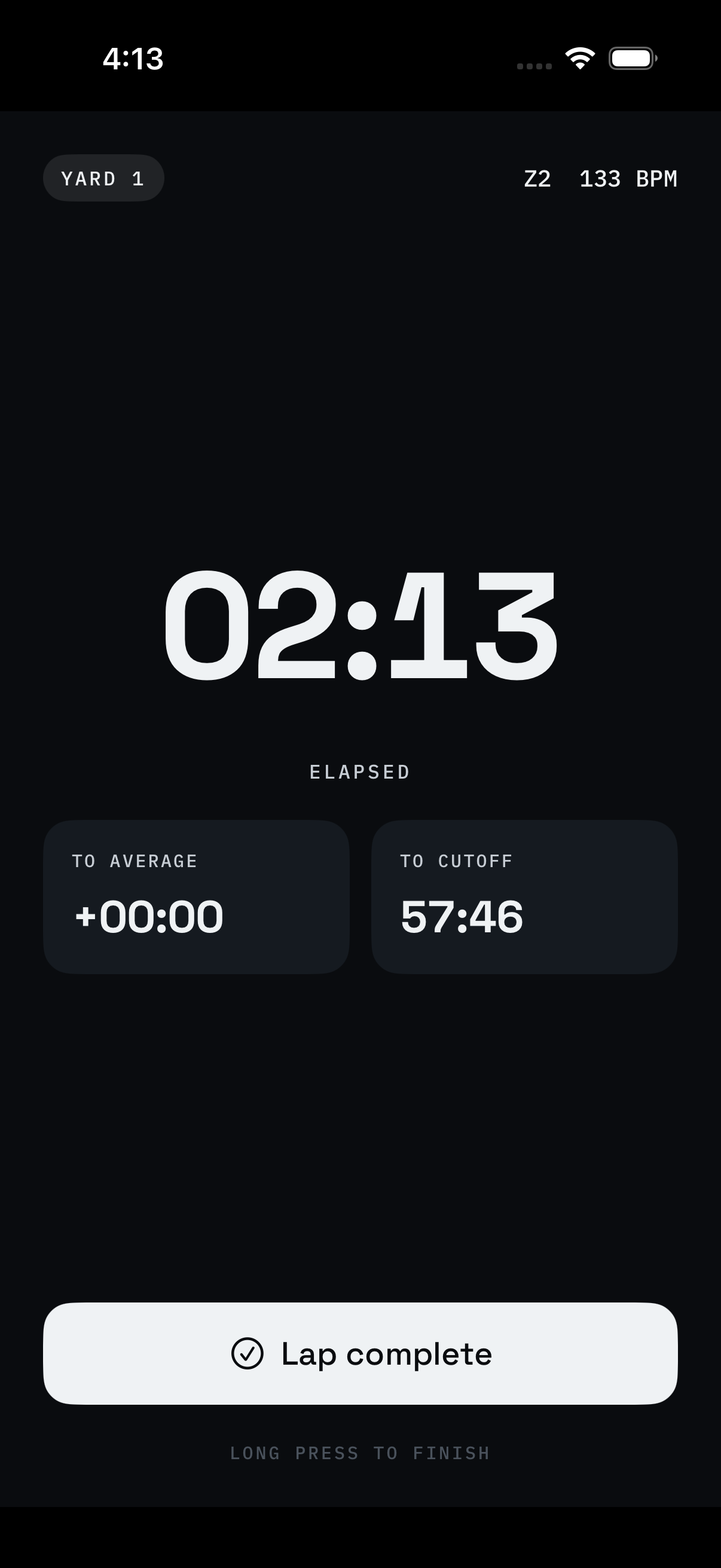
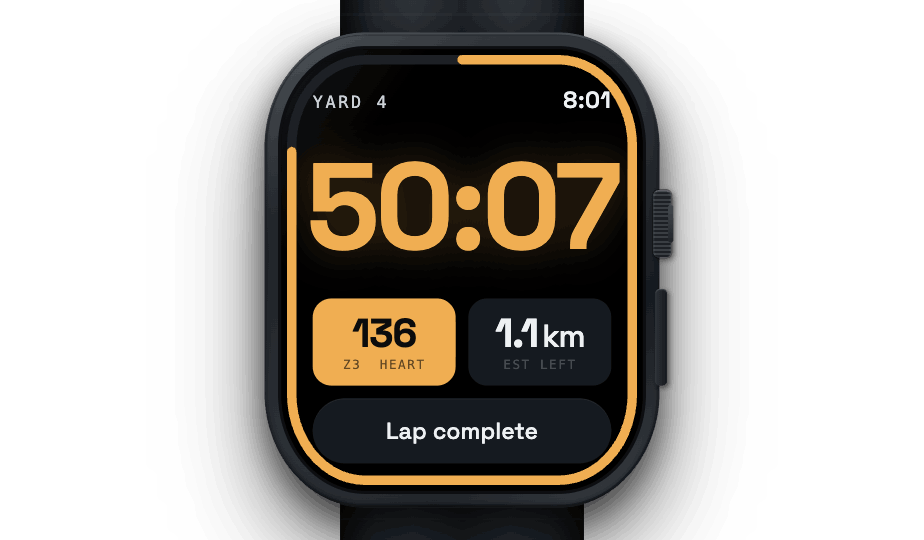
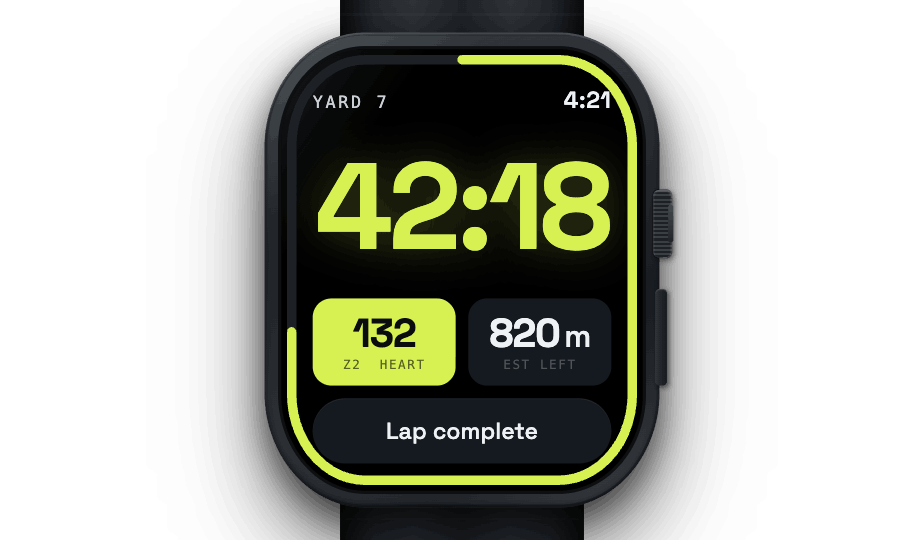
The watch displays the current lap time, elapsed time since the loop started, and time remaining in the current lap window. Simple. Always accurate. Always derived from the scheduled start, not a running timer.

When you finish a lap, tap Lap Done. BackyardPace records the time and transitions immediately to recovery mode.

Current lap elapsed time
Time remaining in the current lap window
Lap completion recorded on the wrist
Live

Recovery Countdown

Recovery management

Know exactly how much time you have.

Finishing a lap and not knowing how long you have to recover is one of the small anxieties that adds up over a long race. BackyardPace removes it entirely.

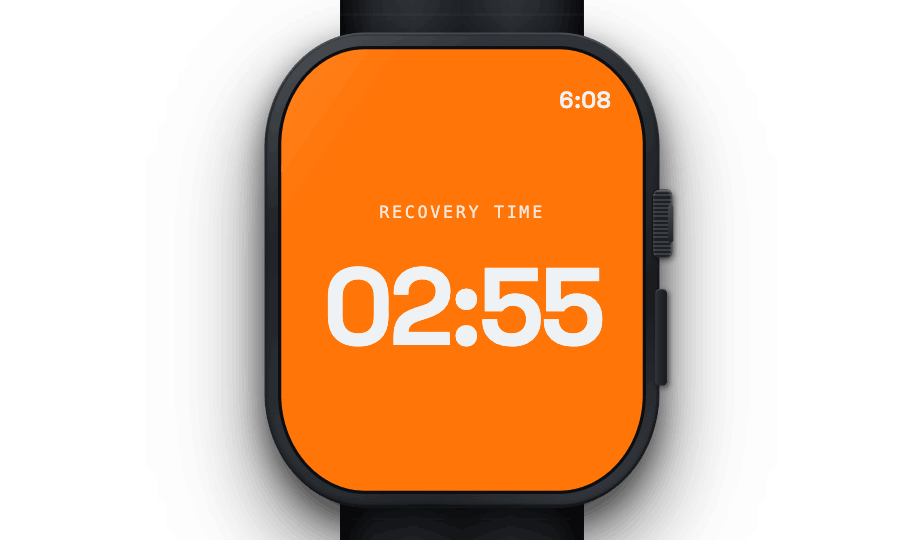
As soon as you tap Lap Done, the watch shows your remaining recovery window: the exact number of minutes and seconds until the next lap begins. Eat, rest, sort your kit, and watch the number count down.

As the window closes, the watch warns you. Three bells at 3 minutes to go. The countdown turns amber at 2 minutes. Red at 1 minute. Time to get to the start line.

Recovery countdown starts automatically after Lap Done
Time remaining displayed clearly on the watch screen
3 bells at 3 minutes remaining
Amber warning at 2 minutes, red at 1 minute
Next lap begins on schedule without manual restart
Live

Heart Rate Monitoring

Body data

See what your body is doing.

Heart rate is tracked continuously during every lap and displayed on the watch face. As the hours and laps stack up, understanding your effort level becomes more important, not less.

Heart rate data is also saved as part of the workout record to Apple Health, giving you a full picture of the race afterwards.

Real-time HR displayed on the watch screen
HR data recorded throughout the race
Saved to Apple Health with the workout
Live

GPS Route Tracking

Race record

Every lap, on the map.

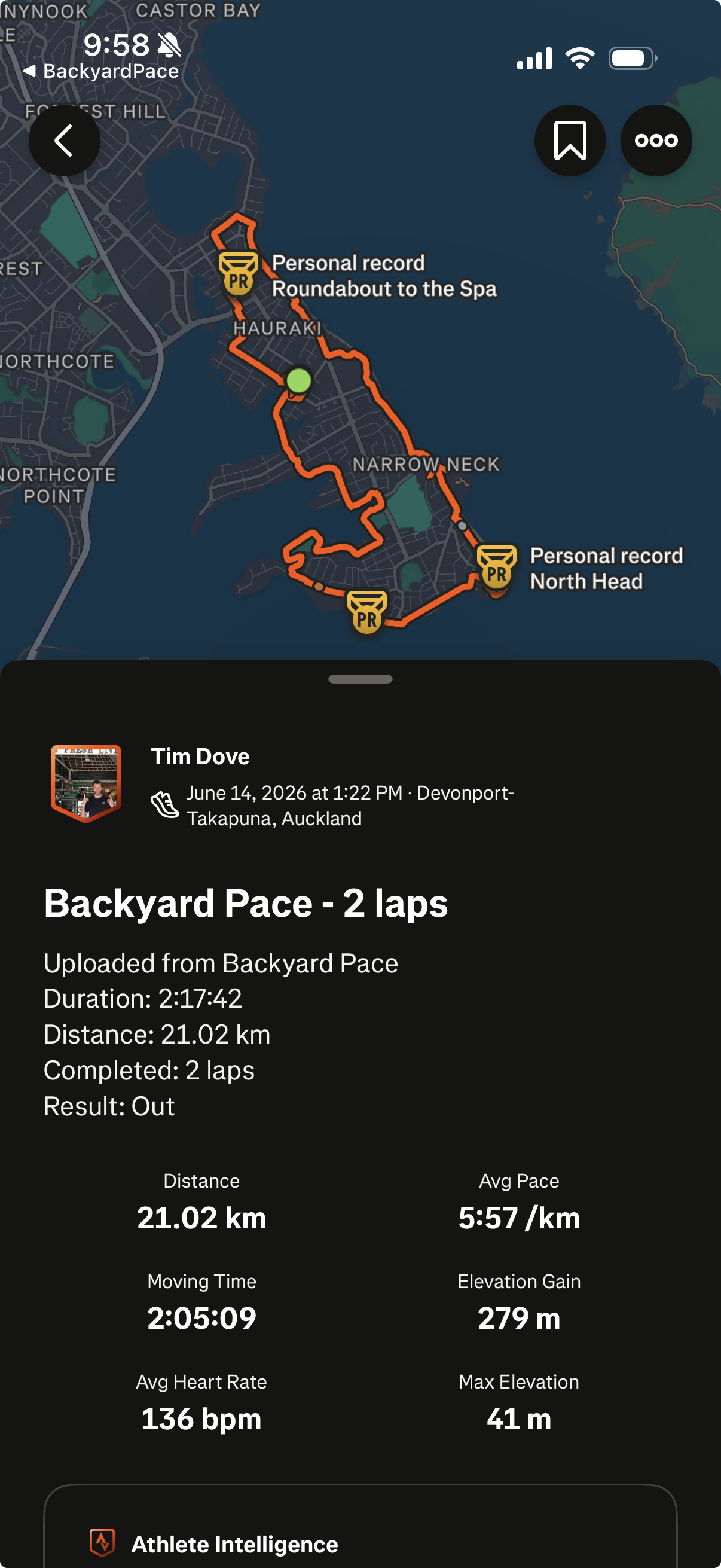
GPS is recorded directly from the Apple Watch throughout the race. The route is stored and visible in Apple Maps after the event: a full trace of every loop you completed.

No phone needed for GPS. The watch handles it independently.

GPS tracked on the Apple Watch, no phone required
Full route visible in Apple Fitness and Apple Maps post-race
Route data saved as part of the workout record
Live

Apple Health & Fitness

Workout record

Your race, on record.

When you stop the race, the full workout is saved automatically to Apple Health and Apple Fitness. This includes GPS, heart rate, duration, laps and distance.

Your Backyard Ultra appears in Apple Fitness alongside every other workout in your history — properly recorded, not a workaround.

Workout saved automatically on race completion
GPS, HR, laps and duration all included
Visible in Apple Fitness with full data
Live

Strava Export

Post-race sync

Direct to Strava. No workarounds.

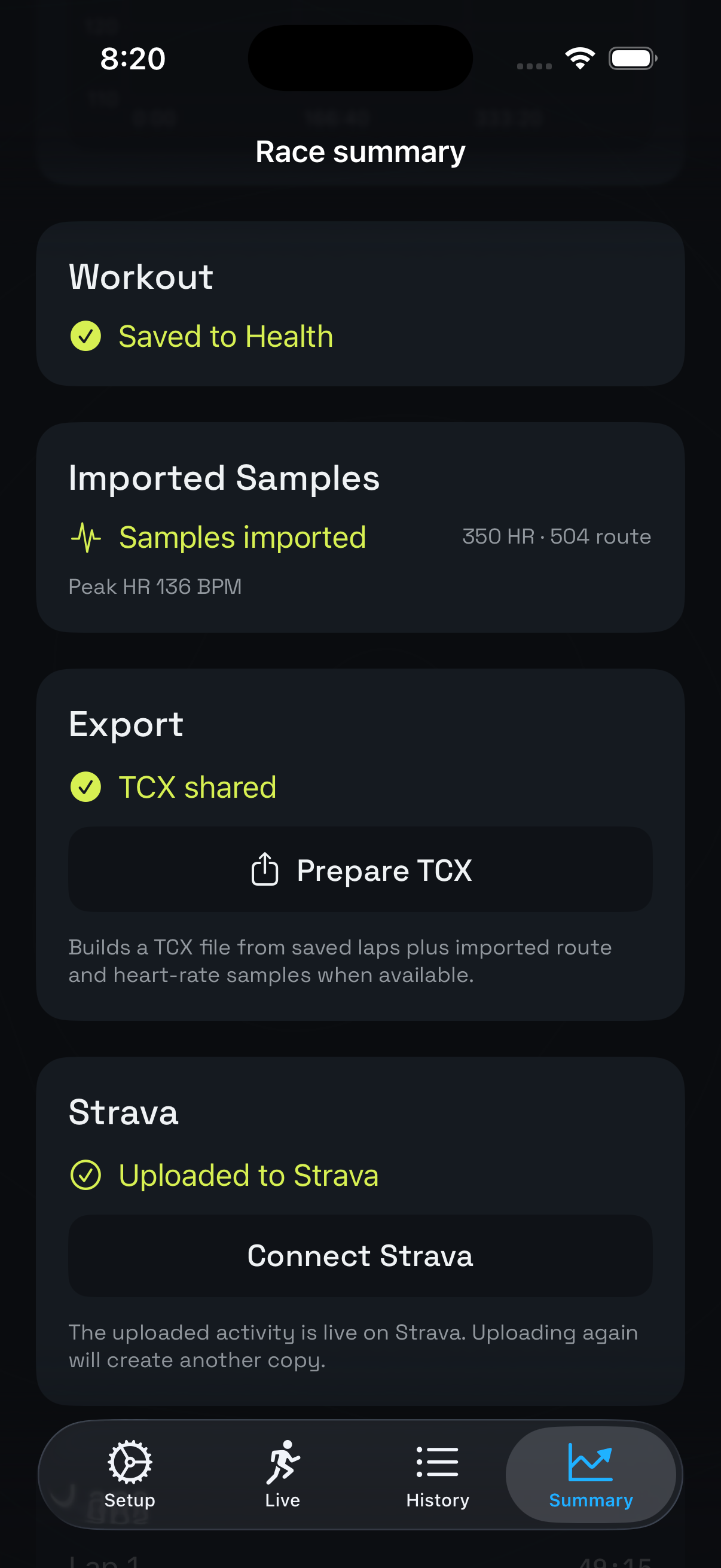
Getting a Backyard Ultra workout from Apple Watch to Strava used to require a third-party app. BackyardPace removes that dependency entirely: OAuth connection, TCX generation, and a single upload button.

Your race on Strava, properly formatted with GPS, HR and laps. No HealthFit. No RunGap. No parallel recording.

Strava OAuth connection from the phone app
TCX file generated from race data (GPS + HR + laps)
Direct upload to Strava, no third-party apps
Coming soon

Pacing Intelligence

Race analysis

Are you gaining or losing time?

BackyardPace has a pacing engine that tracks your lap times and calculates your average pace across completed laps. The goal is to show you simply and clearly whether your current lap is ahead of, behind, or on pace with your recent average.

In the later hours of a Backyard Ultra, this becomes critical information. The pacing engine is built. Wiring it into the race screen is next.

Lap average calculated from completed laps
Current lap compared against that average
Buffer time: how much margin you have before cut-off
Coming soon

Garmin & Other Platforms

Platform expansion

Currently Apple Watch only. Garmin is next.

BackyardPace is built for Apple Watch right now. Every feature — lap timing, recovery countdowns, GPS tracking, heart rate, Strava upload — works on Apple Watch Series 4 and newer.

Garmin is the most-requested platform and is actively being scoped. A lot of Backyard runners race on Garmin — the Fenix series in particular — and the format demands exactly the same thing from a Garmin watch as it does from an Apple Watch. The plan is to bring the same core race engine to Garmin once the Apple Watch version is stable and out in the world.

If you run on Garmin, Coros, Suunto or another platform: join the waitlist and select your watch. It directly influences what gets built and when. The more Garmin runners on the list, the faster Garmin happens.

Apple Watch — available at launch
Garmin — next platform, in planning
Coros, Suunto & others — on the radar
Waitlist demand shapes build priority

Apple Watch now. More platforms coming.

Get on the list — whatever watch you run.

Apple Watch beta opens mid-2026. Garmin and others follow. Register your watch when you sign up and we'll reach out when your platform is ready.

Join the Waitlist